
Precision

Free guide: The One-Page Morning Brief

Know what's
on fire before
you open Slack

Stop digging through email, texts and team chat to catch what's slipping. One prompt for the AI chat you already pay for shows what needs you first.

Free. Lands in your inbox within 5 minutes. Unsubscribe any time.

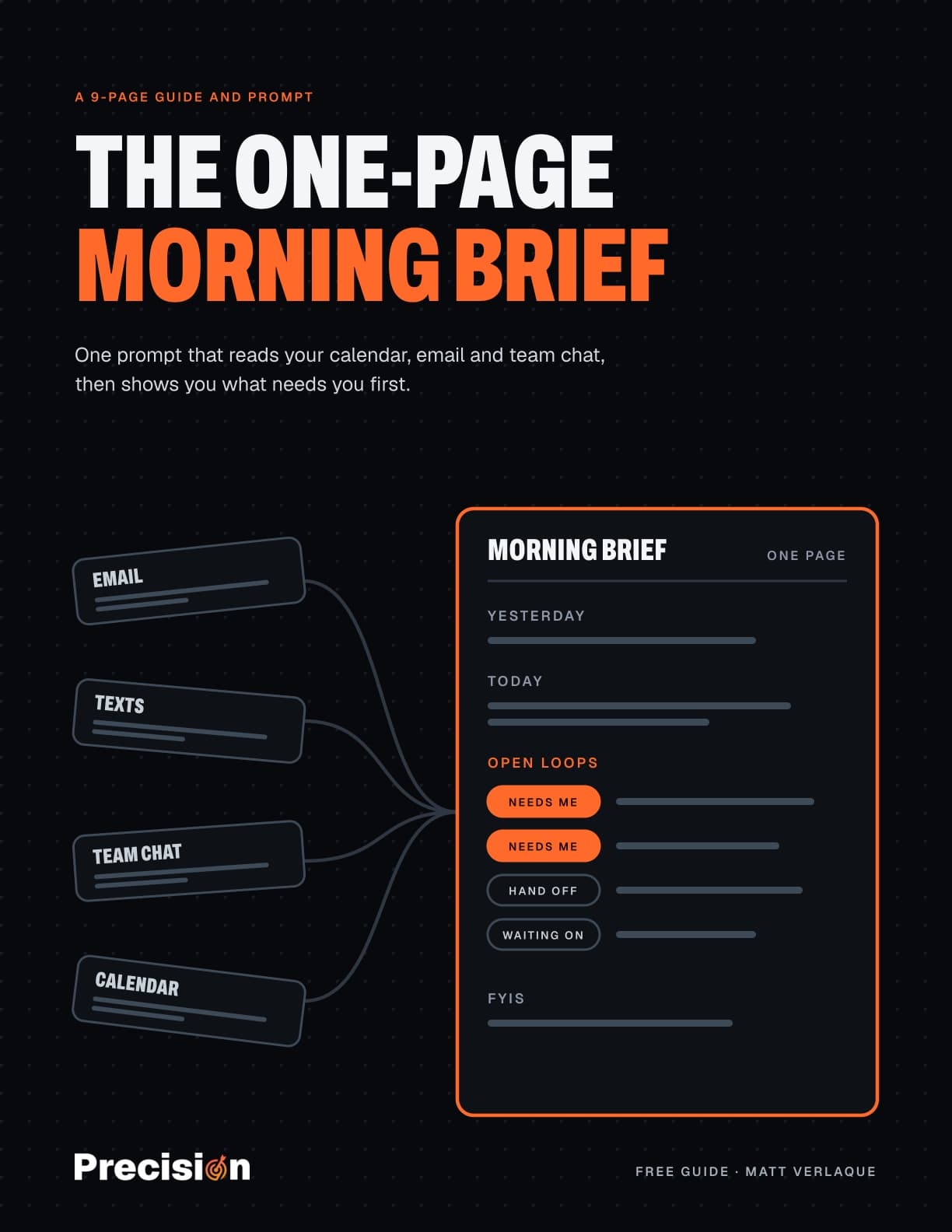
The One-Page Morning Brief, the cover

First thing every morning

Most of us start the day
playing defense

Does anyone love starting the day digging through three apps to find out what's on fire? Me neither.

Still, we open email, Slack and texts first and react to whoever poked loudest. Your team ends up waiting on approvals buried in another thread.

Then the important thing surfaces at 4pm. A promise slips, or a question sits unanswered for days, while your schedule gets chewed up by other people's urgency.

Everything runs through you, and there's no single place to see it - until you pull your whole morning onto one page.

What changes tomorrow

Handle what only you
can do first

  • You'll see every decision, approval and promise waiting on you - with the due time and next step.
  • Send every task your team can close without you in one message, before you open Slack.
  • You'll catch questions sitting unanswered for 2+ days before anyone has to chase you.
  • Nudge everyone who owes you something, with what's overdue and how long it's been.
  • Walk into every meeting with a prep line, and know where to focus today.
  • Newsletters, receipts, alerts and cold pitches shrink to one line at the bottom. Then they're gone.

The finished page

Your whole morning
on one screen

  1. 1

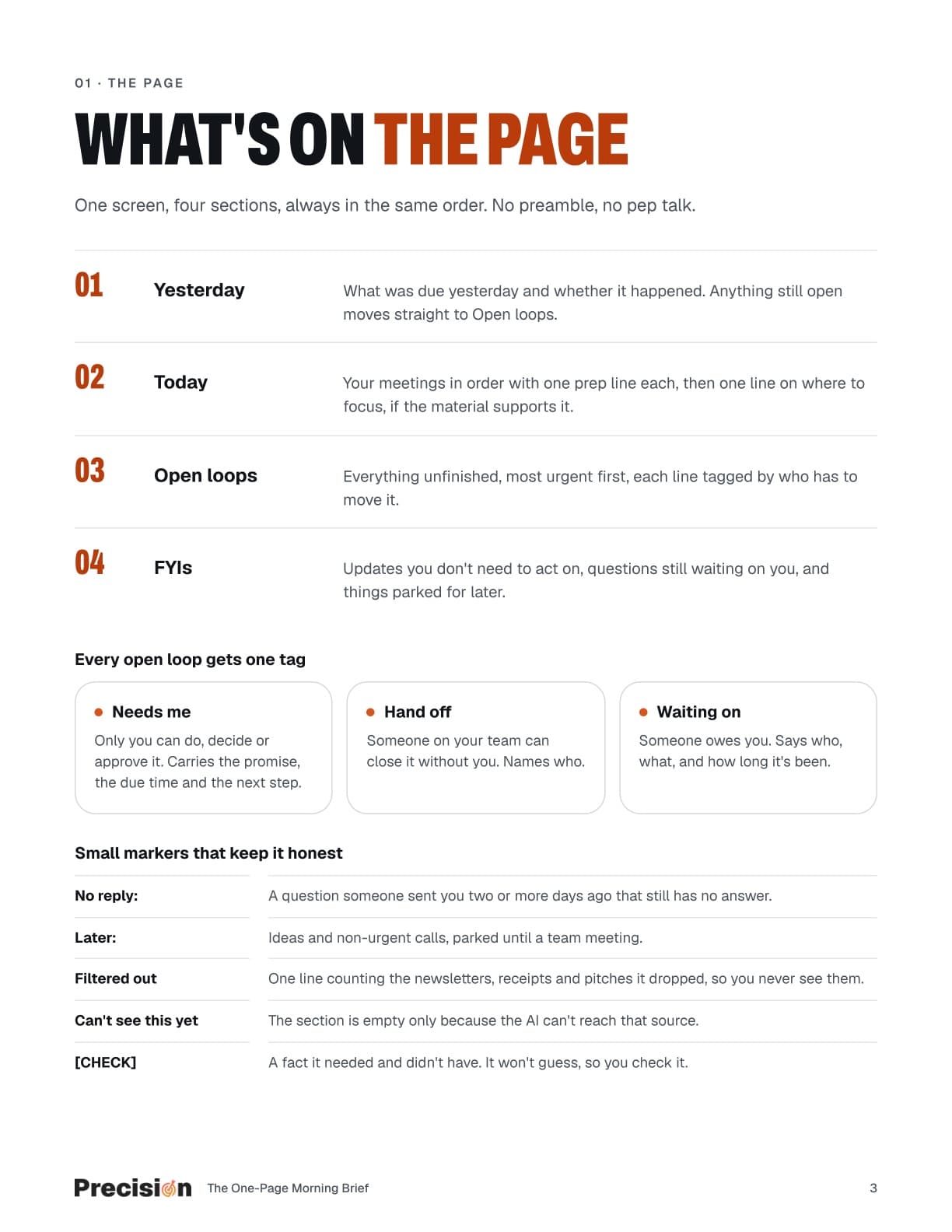
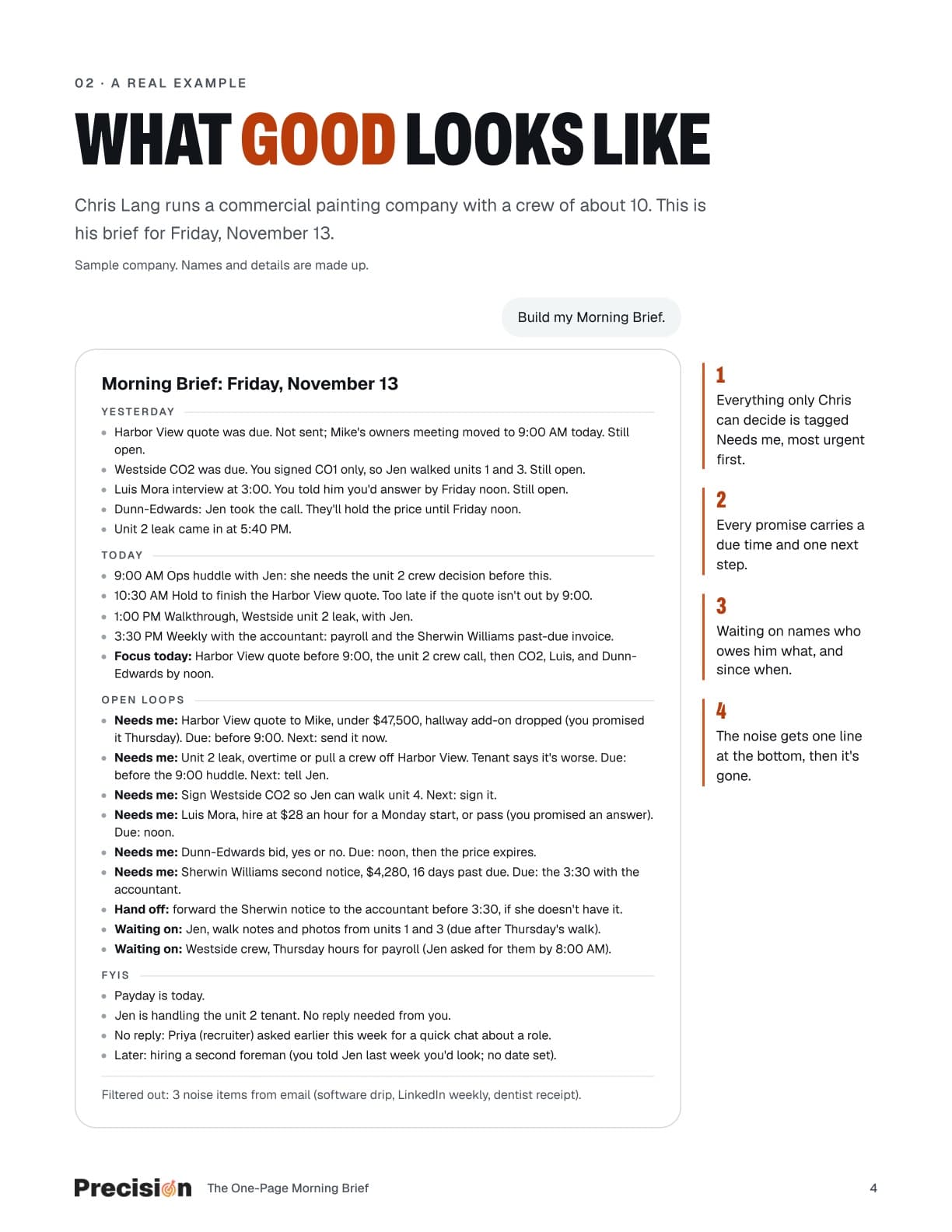
    Needs me puts every decision and approval only you can make up top.

  2. 2

    Hand off, Waiting on and No reply show who moves each open loop.

  3. 3

    Missing a fact? It writes [CHECK] instead of guessing or inventing a date.

A finished One-Page Morning Brief for a sample commercial painting company
A finished brief for a sample commercial painting company. Names and details are made up.

Set up once

No new tool.
Working by
tomorrow morning.

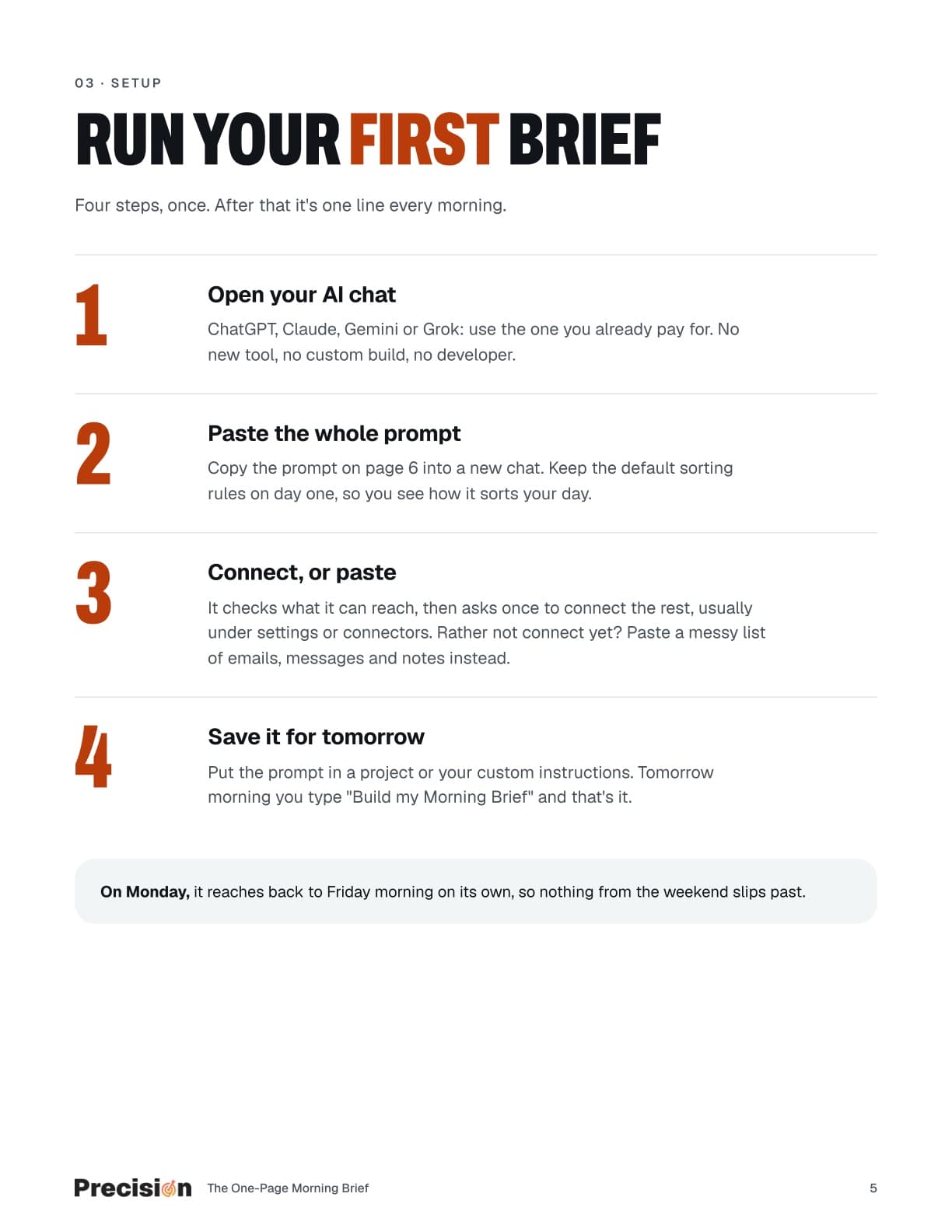
  1. 1

    Paste it once

    Drop the prompt into ChatGPT, Claude, Gemini or Grok. Save it in a project or custom instructions - no developer needed.

  2. 2

    Connect or paste

    Connect your calendar, email, chat, call notes and tasks - or paste a messy list of emails and notes.

  3. 3

    Type four words tomorrow

    Tomorrow morning, type "Build my Morning Brief" and clear Needs me before you open Slack. On Monday it reaches back to Friday.

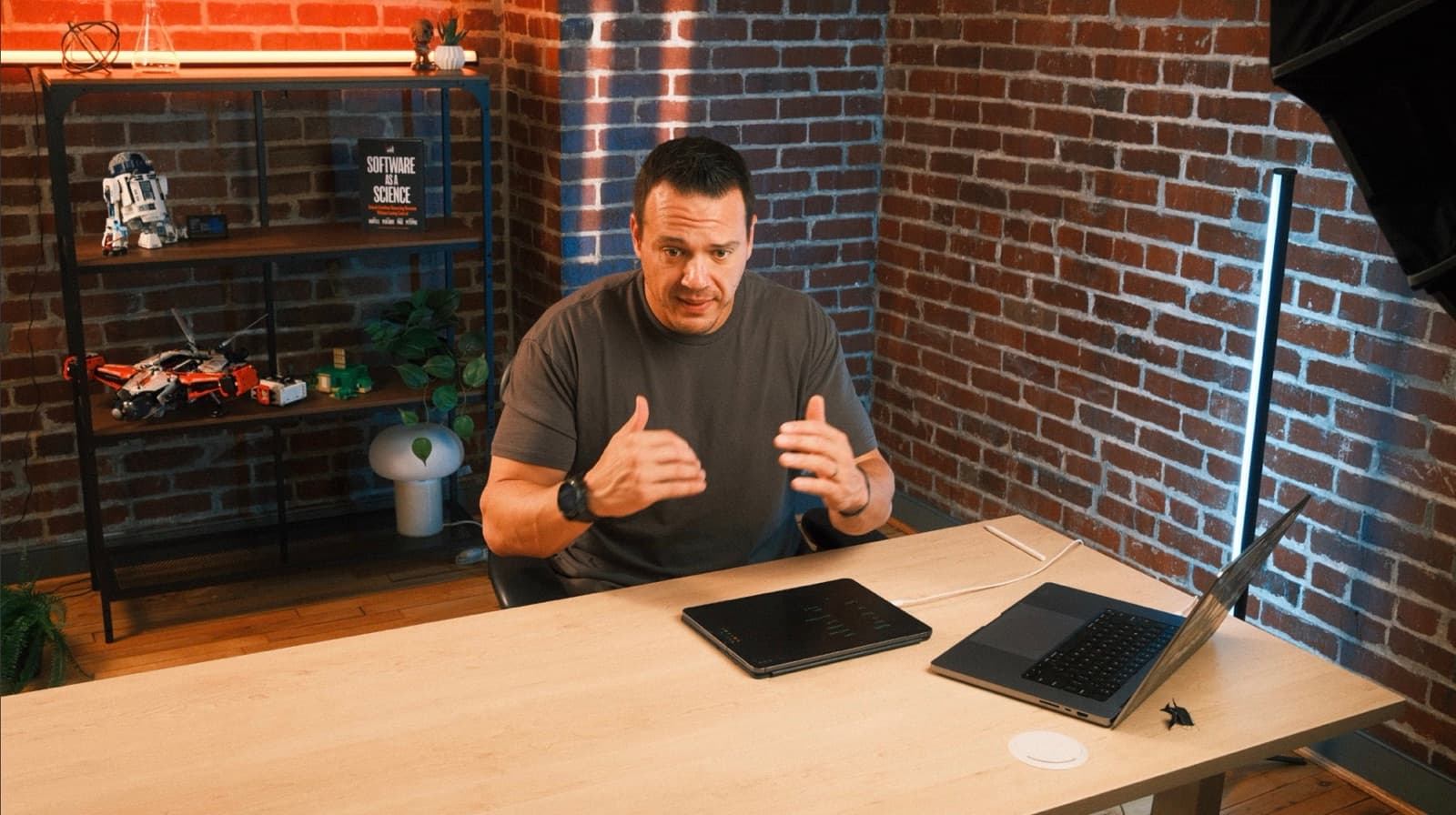
Matt Verlaque at his desk in the Precision studio

A note from Matt

The page I read
before Slack

I've coached 500+ founders personally, and most of us start the day the same way. We open three apps and let everybody else set the schedule.

I run a version of The One-Page Morning Brief every morning.

It's the same prompt we teach in our Stop Being the Bottleneck workshop. Paste it once and put it to work tomorrow.

One boundary up front: it only reads and summarizes. It never sends an email, chases your team or makes a decision for you.

That's on purpose. You still make every call - with the whole day laid out before you open Slack.

Matt VerlaqueFounder, Precision
What you get

Nine pages built
to use tomorrow

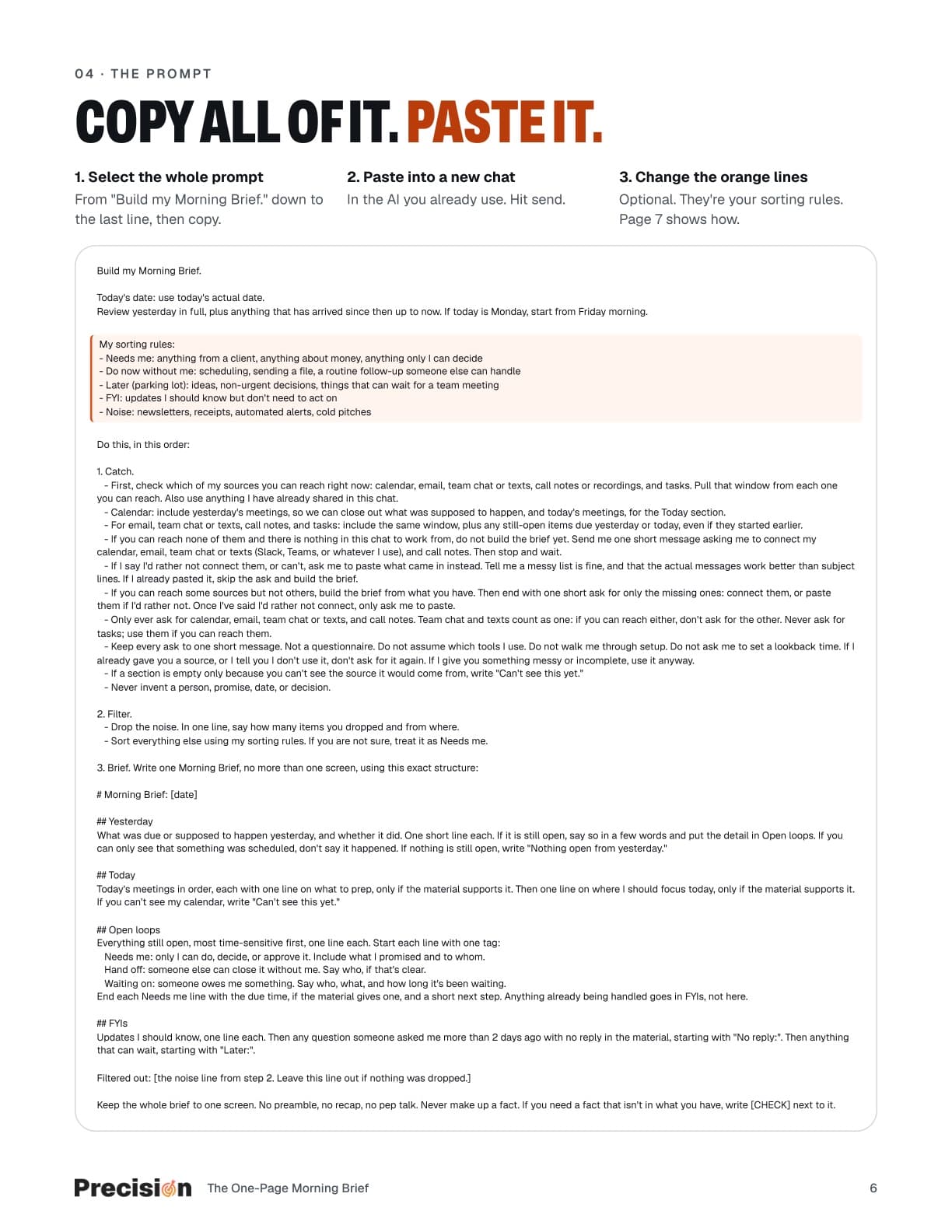
  • The copy-paste prompt

    Works in ChatGPT, Claude, Gemini or Grok - no new tool.

  • A finished example

    A complete brief for a sample commercial painting company.

  • 4-step setup

    Connect your tools or paste messy notes so it works tomorrow.

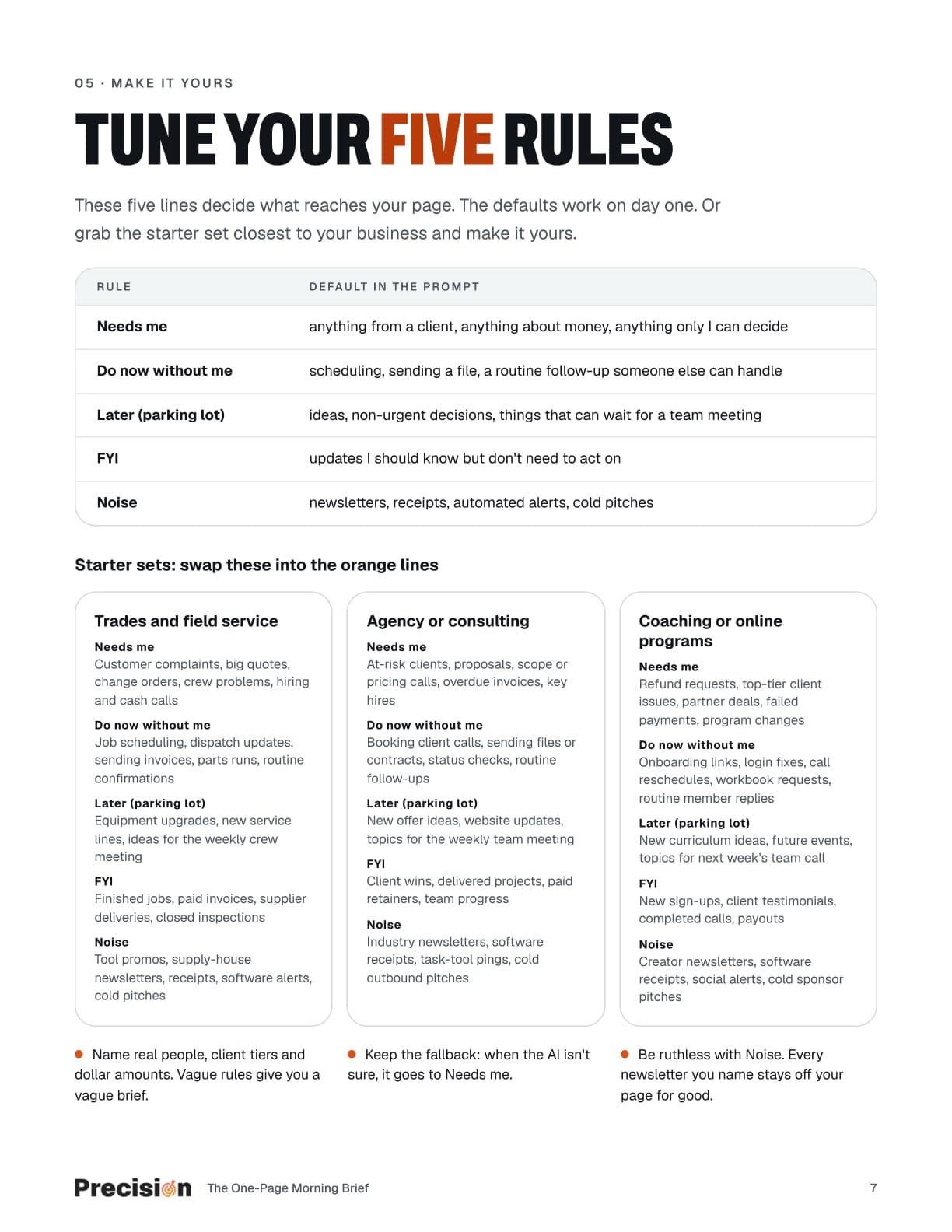
  • Five sorting rules

    Starter sets for trades, agencies and coaching businesses.

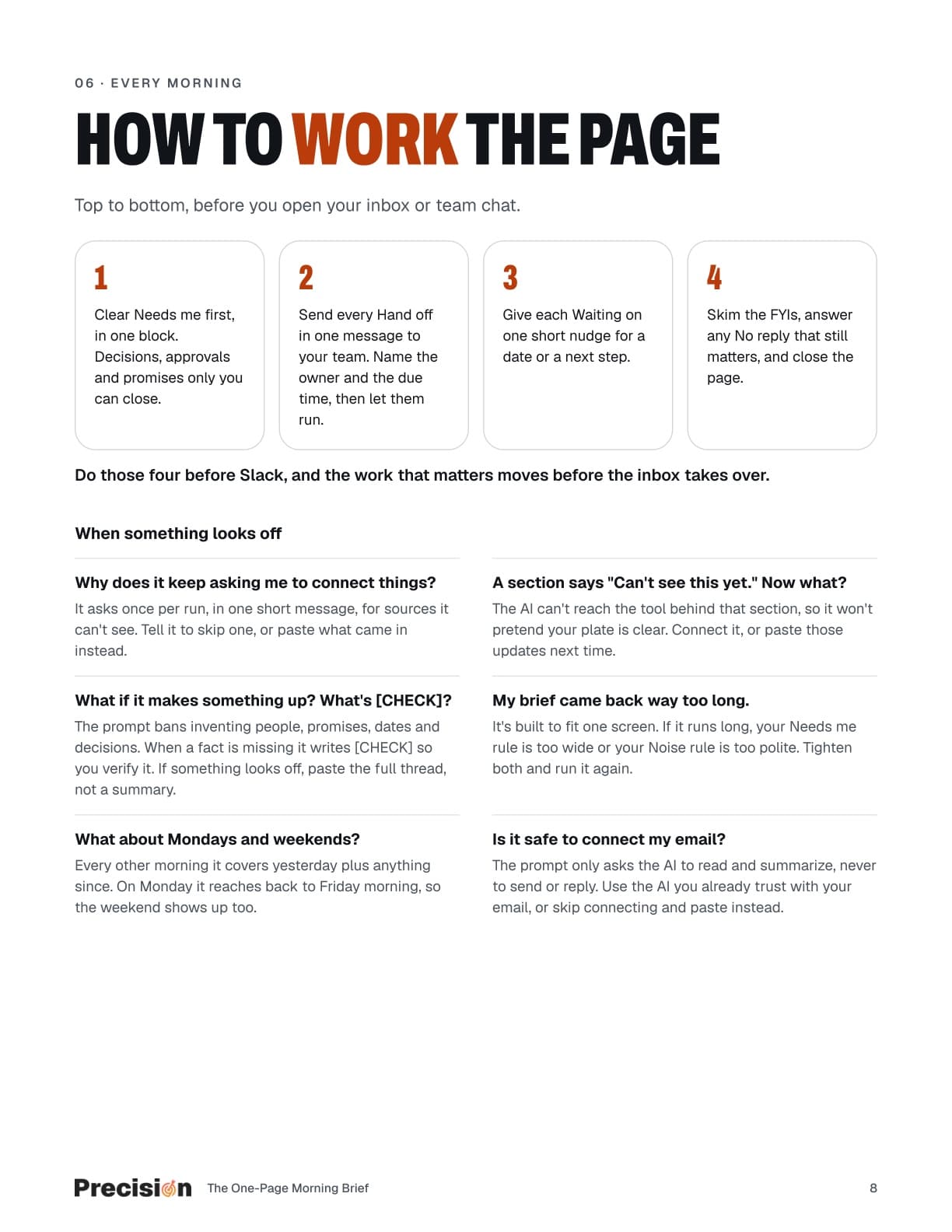
  • The morning routine

    Clear Needs me, send Hand offs, then close the page.

  • Tags, markers and FAQ

    What every tag means, plus plain answers on connecting tools.

Straight answers

What skeptical
founders ask first

Do I need a new tool or tech skills?

No. Paste the prompt into ChatGPT, Claude, Gemini or Grok - whichever AI chat you already pay for. There's no custom build and no developer to hire.

Is it safe to connect my email?

It runs inside the AI account you already use, and the prompt only reads and summarizes. It never sends an email, replies, chases your team or makes a decision for you.

What if it makes something up?

The prompt bans inventing people, promises, dates and decisions. Whenever it's missing a fact, it writes [CHECK] instead of guessing, so you can verify it yourself.

What if I don't want to connect anything?

You don't have to. If it can't reach a source, it asks once. Or paste a messy list of emails and notes instead, and it builds the page from that.

How long until it's useful?

Tomorrow morning. Save the prompt in a project or custom instructions today, then type "Build my Morning Brief" tomorrow. Once it's saved, that one line builds your page each morning.

Start tomorrow on offense

See what needs you
before you open Slack

Grab The One-Page Morning Brief free. Paste the prompt once today and work your day from one screen tomorrow.

Free 9-page PDF. Lands within 5 minutes. Unsubscribe any time.